

How to set an employee as inactive and record employment history
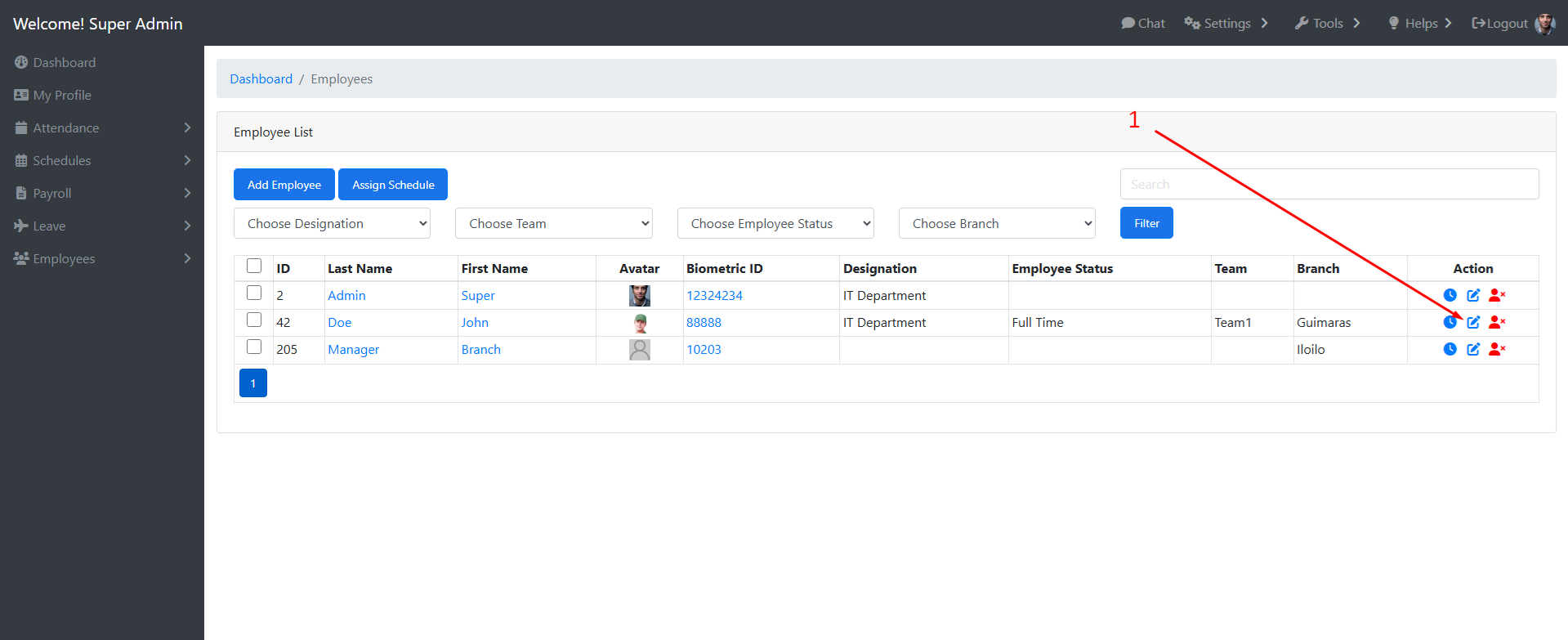
- Go to All Employees and select an employee to edit
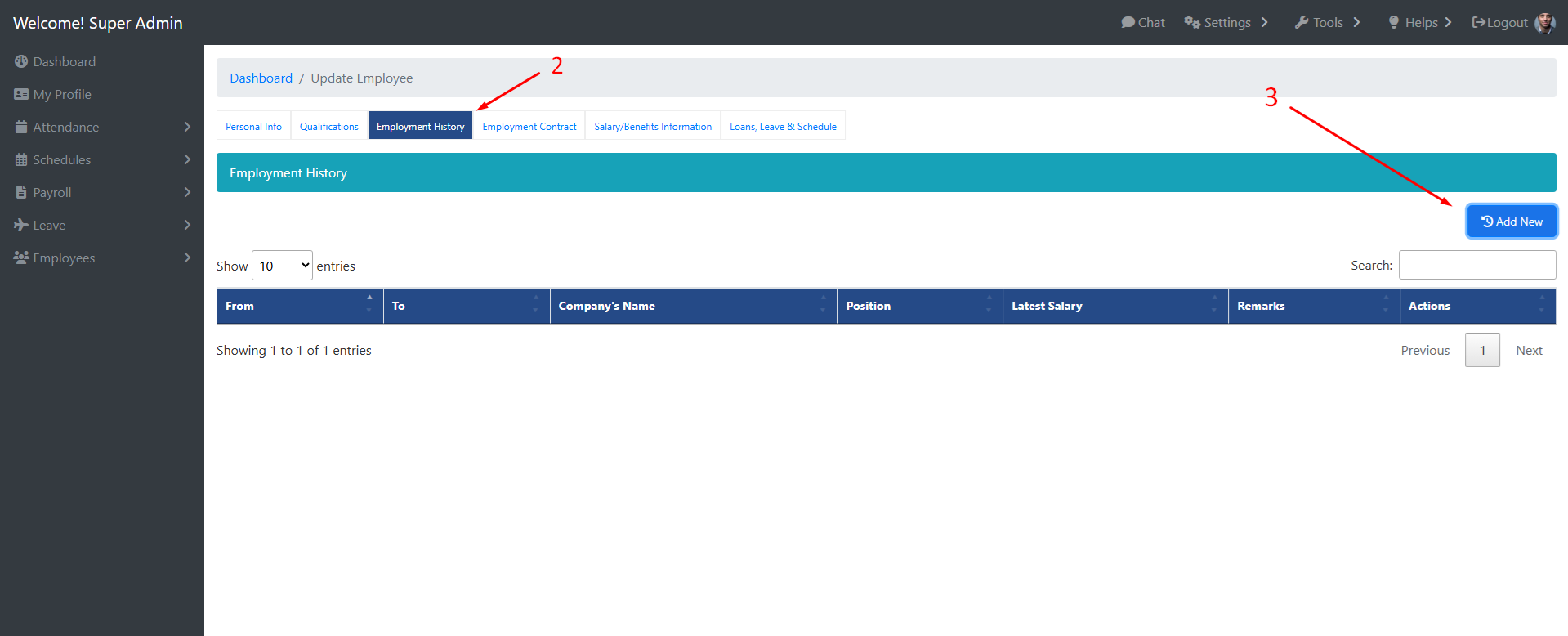
- Go to Employment History tab and click Add new button
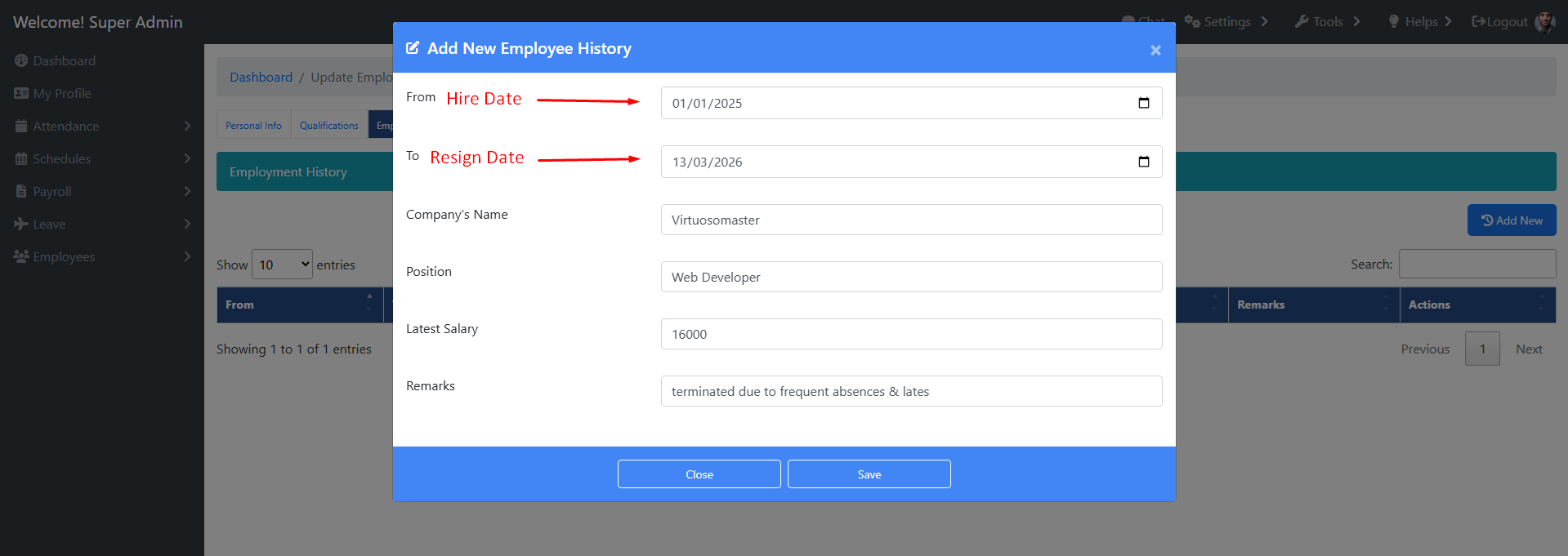
- Fill out the form and save. This will serve as the employee’s employment history on the company.
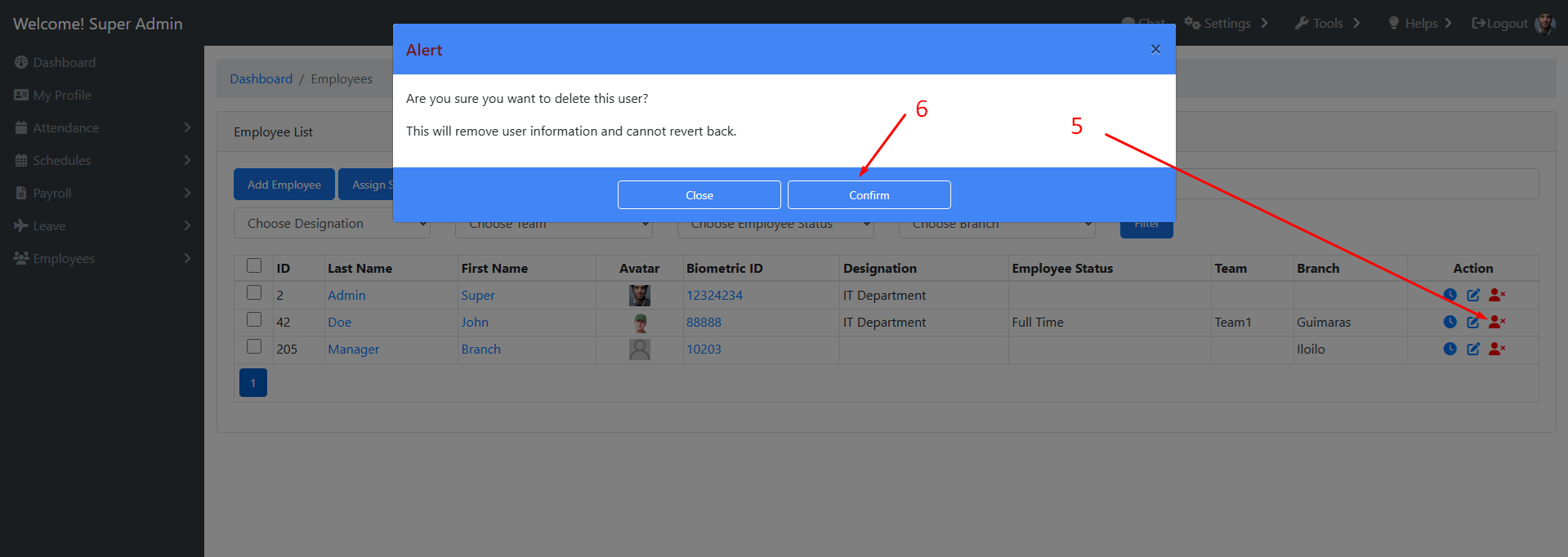
- Go back to All Employees page and deactivate the user.