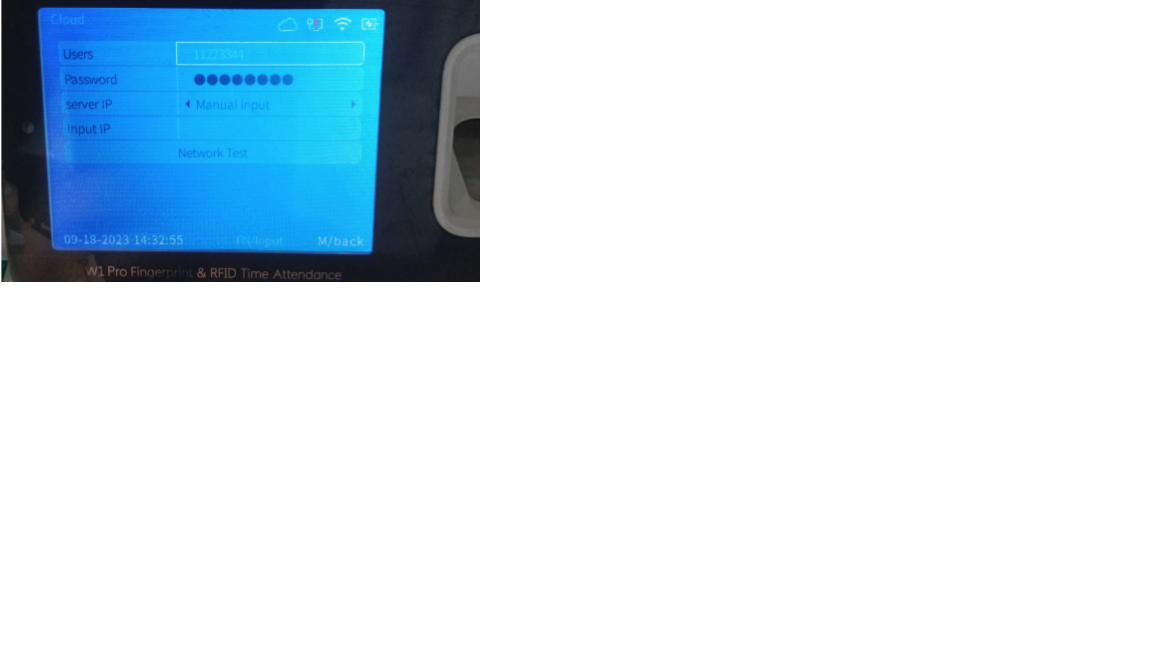


Anviz W1 Pro ( Old Unit ): How to connect to Cloud
Assuming that your biometric device is connected to a WiFi, follow the steps below:
- Navigate to Network >> Cloud. From there, you will see the fields – Users, Password, Server IP, Input IP.
- Enter the username under the Users field and the password under the Password field. Ex. Users: 11223344 Password: 090999
- For the Server IP, set it to Manual Input.
- For the Input IP, it depends on your paycheck master system URL. The structure looks like this: your_system_url + /device/server. If your system url is vm.pcms.me, the Input IP should be vm.pcms.me/device/server.
- After filling out the fields, proceed to Network Test.