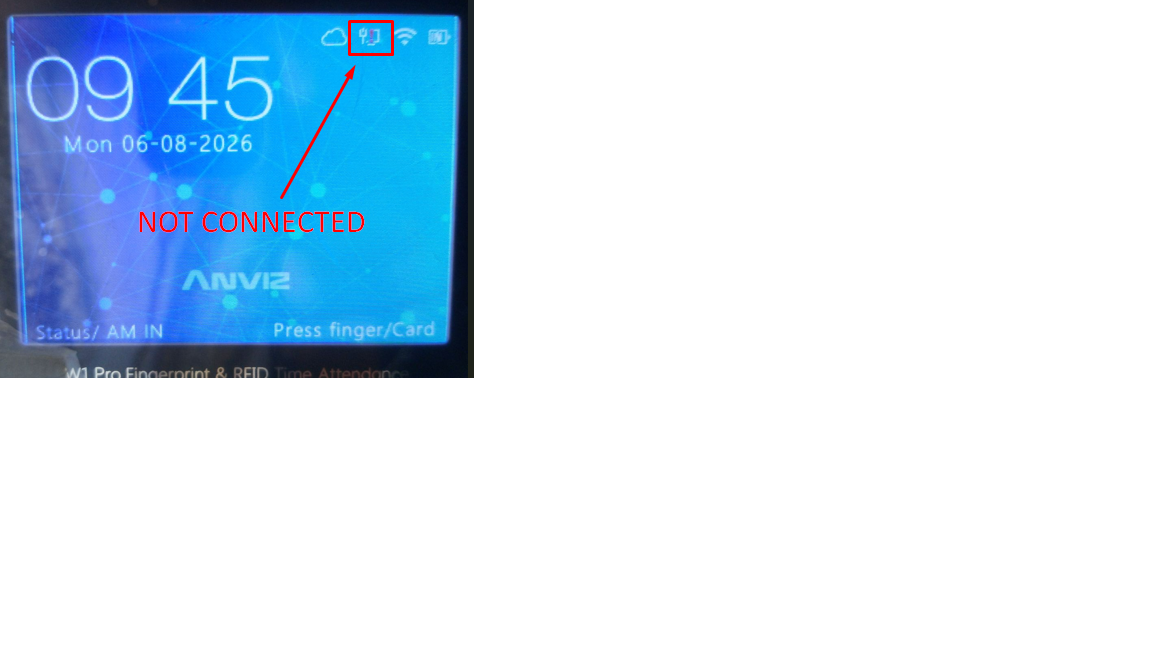


Anviz W1 Pro: How to Connect the Device to the Internet using Lan Cable
- Assuming that you already have a working LAN cable, plug one end to the LAN cable socket located at the back portion of the device and plug the other end to your router’s LAN cable socket as well.
- Once it is plugged, go to your device. Press M key to login. Username: 0 and Password: 12345
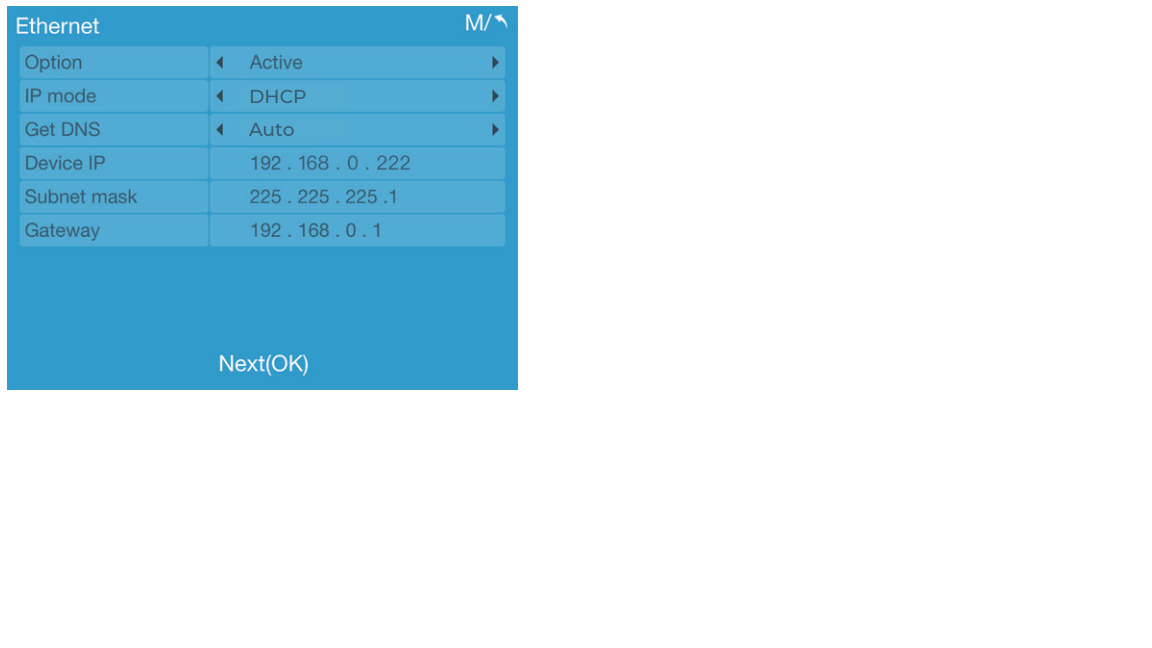
- Go to Network -> Ethernet.
- Set the Option to Active.
- Set the IP Mode to DHCP.
- Go back to main page and check the computer icon. If it has a red exclamation point, it is NOT connected. Otherwise, it is connected.